
PRASHAST (Pre-Assessment Holistic Screening Tool) एक school-based disability screening tool है, जिसे NCERT और Ministry of Education, Government of India द्वारा विकसित किया गया है। इसका मुख्य उद्देश्य स्कूलों में पढ़ने वाले बच्चों में 21 प्रकार की disabilities की प्रारंभिक पहचान करना और उन्हें उचित सहायता और referral प्रदान करना है।
PRASHAST App 2.0 को UDISE+ के साथ integrate किया गया है, जिससे screening, monitoring, और identification की प्रक्रिया अधिक transparent और systematic बन गई है।
Head Master Registration क्यों जरूरी है?
Academic year 2026-27 के लिए, Andhra Pradesh, Bihar, Rajasthan, Maharashtra सहित कई राज्यों में PRASHAST App 2.0 के माध्यम से mandatory disability screening लागू की गई है। सभी government, local body, aided, और private schools के Headmasters और Principals को निर्देश दिया गया है कि वे अपने institution के institutional/admin logins जून-July 2026 के दौरान create और activate करें।
Headmaster registration के बिना, school में screening process शुरू नहीं हो सकती। इसलिए, 14 September 2026 से पहले school details verification पूरा करना अनिवार्य है।
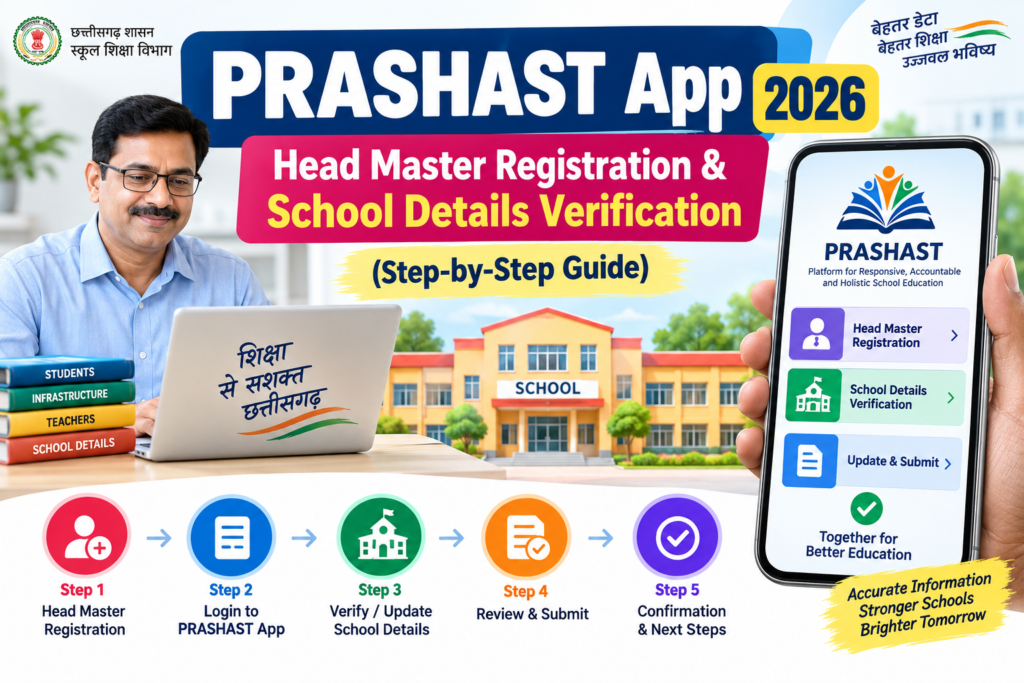
PRASHAST App Head Master Registration Process (Step-by-Step)
Step 1: PRASHAST Mobile App Download करें
- Google Play Store या Apple App Store में “PRASHAST” search करें।
- या official manual में दिए गए QR code को scan करें।
- App install करके open करें।
Step 2: Login Segment Select करें
- App खुलने पर “PRASHAST Screening” option चुनें।
- उसके बाद “Headmaster” role select करें और “Proceed” पर tap करें।
Step 3: Headmaster Signup शुरू करें
- “Signup as Headmaster” button पर tap करें।
- School Identity verify करने के लिए:
Step 4: OTP Verification Complete करें
Step 5: School Details Verify करें
- Screen पर दिखाई गई school information को ध्यान से review करें।
- यदि सभी details सही हैं, तो “Verify & Set Password” पर tap करें।
Step 6: Password Create करें
- Password को दो बार दर्ज करें और “Set Password” पर tap करें।
- “Account Created Successfully” message आने पर “Login” पर tap करें।
Step 7: PRASHAST में Login करें
School Details Verification: क्या-क्या Check करें?
Headmaster login करने के बाद, school profile में निम्नलिखित details verify करें:
| Verification Item | Action Required |
|---|---|
| Classes | कुल classes की संख्या सही है या नहीं |
| Students | enrolled students की संख्या verify करें |
| Teachers | school में working teachers की संख्या check करें |
यदि कोई भी data गलत या outdated है, तो 17 September 2026 से पहले UDISE+ में correction करवाएं।
Important Dates (PRASHAST 2026)
| Activity | Date | Action |
|---|---|---|
| School Verification | 14 September 2026 तक | Login करके school details verify करें |
| UDISE+ Correction | 17 September 2026 तक | गलत data को UDISE+ में सुधारें |
| Updated Data in PRASHAST | 18 September 2026 से | Synchronized school data recheck करें |
| Teacher Assignment & Part-1 Screening | 18 September 2026 से | Teachers assign करें और screening शुरू करें |
Note: Manual में 14 September और 17 September दोनों dates दी गई हैं। Headmasters को competent authority के latest instructions follow करने चाहिए और जहाँ तक possible हो, 14 September तक verification पूरा कर लेना चाहिए।
Teacher Training Module: अनिवार्य क्यों है?
PRASHAST App 2.0 पर screening शुरू करने से पहले, सभी teachers को 10 tutorial videos और Teacher Training Module पूरा करना अनिवार्य है। यह training न केवल screening process को समझने के लिए जरूरी है, बल्कि यह सुनिश्चित करती है कि सभी teachers app का सही तरीके से उपयोग कर सकें।
Training Steps:
- PRASHAST App download करें या official web portal open करें।
- “PRASHAST Tutorial” option पर click करें।
- UDISE+ Code और registered mobile number से login करें।
- 10 tutorial videos (Hindi या English medium) को क्रमबद्ध पूरा देखें।
Common Problems & Solutions
समस्या 1: Mobile Number से Login नहीं हो रहा
कारण: PRASHAST में डाला गया mobile number, UDISE+ में linked number से अलग है।
समाधान: UDISE+ Teacher Module में जाकर mobile number update करवाएं।
समस्या 2: OTP नहीं आ रहा
कारण: Registered mobile number गलत या inactive हो सकता है।
समाधान: UDISE+ में registered mobile number check करें और यदि जरूरत हो तो update करवाएं।
समस्या 3: School Details गलत दिख रही हैं
कारण: UDISE+ में outdated data।
समाधान: 17 September 2026 से पहले UDISE+ portal पर correction करवाएं।
Screening Process: Part-1 और Part-2
PRASHAST screening process दो भागों में विभाजित है:
- Part-1 Screening: Class teachers द्वारा सभी students की screening की जाती है। यह observable behaviours के आधार पर होती है।
- Part-2 Screening: Special Educators द्वारा उन students की detailed screening की जाती है, जिन्हें Part-1 में identified किया गया है।
Timeline:
PRASHAST App 2.0 के माध्यम से disability screening एक महत्वपूर्ण initiative है, जो Children with Special Needs (CwSN) की early identification और support में मदद करता है। Headmasters और teachers के लिए यह जरूरी है कि वे 14 September 2026 तक school verification पूरा करें और 18 September 2026 से screening process शुरू करें।
यदि आपके कोई questions हैं या registration में कोई problem आ रही है, तो comment section में पूछ सकते हैं। हम आपकी पूरी मदद करेंगे।
Keywords: PRASHAST App 2026, Head Master Registration, School Details Verification, UDISE+ Correction, PRASHAST App 2.0, PRASHAST Headmaster Login, PRASHAST Screening 2026
SEO Tags: #PRASHASTApp2026 #HeadMasterRegistration #SchoolVerification #UDISEPlus #DisabilityScreening #PRASHASTApp2 #NCERT #EducationMinistry #CwSN #TeacherTraining